


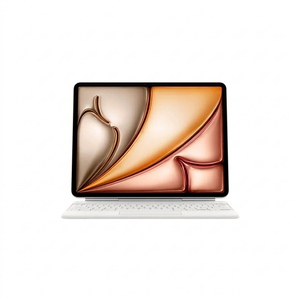
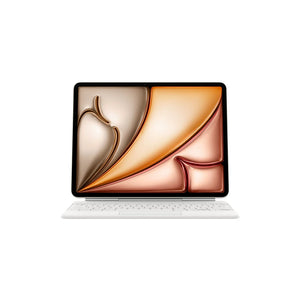


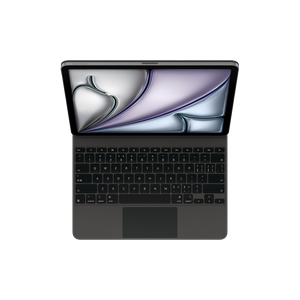
iPad Air Magic Keyboard compatible with iPad Air 13-inch M4 White
Price includes taxes
100% secure payment


 This product was purchased times in the past hours
Product description
External iPad keyboard compatible with iPad Air M4Chinese layout keyboard for your device
Open your iPad Air and place it on the desk, then attach the compatible external iPad keyboard. An adjustable stand lifts the screen to the angle that suits your position, and you start typing with Chinese Pinyin layout, whether you choose white or black.

Protection and stand in one piece
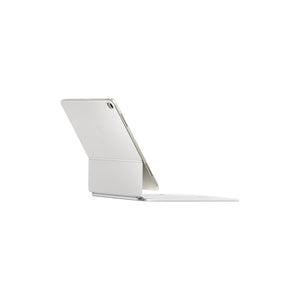
Protective iPad cover
Surrounds the device from front and back, protecting it from scratches while on the go.
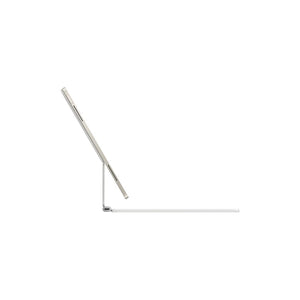
Multi-angle stand
Adjust the screen tilt according to your sitting position or desk height.
Chinese layout keys
The layout is designed for the Chinese Pinyin input system, not Arabic or English.
Keyboard specifications
- Compatibility
- iPad Air M4
- Key layout
- Chinese (Pinyin)
- Colors
- White, Black
- Type
- External keyboard with stand and protection

Chinese key layout
This keyboard is designed for typing with the Chinese Pinyin input system, not for direct Arabic or English typing.

From installation to typing
Place the iPad in the cover
Secure the device inside the stand and ensure it's firmly closed.
Adjust the screen angle
Lift the stand to the tilt that's comfortable for you while typing or viewing.
Start typing
Connect to the iPad and start using the keyboard with its Chinese layout.
Before ordering the keyboard
Does this iPad keyboard work with older models?
No, this keyboard is compatible exclusively with iPad Air generation equipped with M4 chip.
Can I type in Arabic or English on it?
The layout is designed for Chinese typing with Pinyin system, but you can change the input language from iPad settings to type in other languages.
What distinguishes the black option from the white?
Only the exterior color differs; functions and specifications are identical.
Does it need a separate battery or charging?
The keyboard connects directly to the iPad via the dedicated port and doesn't need a separate battery or charging.
To complete your device experience, check out Apple Watch Ultra.


