


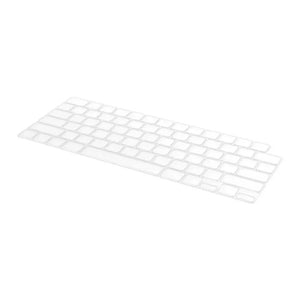

Clear MacBook Keyboard Cover Compatible with MacBook Air 13 Inch
Price includes taxes
100% secure payment


 This product was purchased times in the past hours
Product description
Clear MacBook keyboard cover compatible with MacBook Air 13Protects the keys without hindering your typing
You open your MacBook on the café table and start typing, and the clear MacBook keyboard cover protects the keys from dust and coffee spills without you feeling its presence under your fingers. Designed to fit MacBook Air 13 inch.

Three reasons to install it
Barrier against liquids
Prevents coffee and water from reaching the electronic circuits under the keys.
Keeps away dust and oils
Protects the keyboard from dust buildup and natural oils from fingers.
Doesn't hinder typing
Thin and clear, so you don't feel a difference in key pressure or typing speed.

How to install it
Clean the keyboard
Wipe the keys with a soft cloth to remove any dust.
Place the cover over the keys
Make each opening in the cover match its corresponding key.
Press gently on the edges
Make sure the cover is stable without pressing hard.

Cover specifications
- Category
- Keyboard cover compatible with MacBook
- Compatibility
- MacBook Air 13 inch
- Color
- Clear
- Protection
- Against liquids and dust
- Box contents
- One keyboard cover
Before you order
Does the MacBook keyboard cover fit my MacBook Pro?
No, this cover is designed specifically for MacBook Air 13 inch and will not fit MacBook Pro models.
Does the cover affect closing the device?
The cover is thin enough to close the MacBook without problems, but make sure it's not twisted when closing.
What should I do if liquid spills on the keyboard?
Turn off the device immediately, carefully remove the cover, clean the liquid with a dry cloth, then let the keyboard dry completely before reinstalling the cover.
How do I clean the cover?
Remove it from the keyboard and wash it with lukewarm water and mild soap, then dry it with a soft cloth before reinstalling.
To protect your other devices, check out Silicone camera accessories compatible with Canon G7X andClassic Retro Phone handset.
Protect your MacBook keyboard starting today
Add the cover to your cart now, and it arrives ready to install.
Add it to cart


